Eclipse Animator Roblox
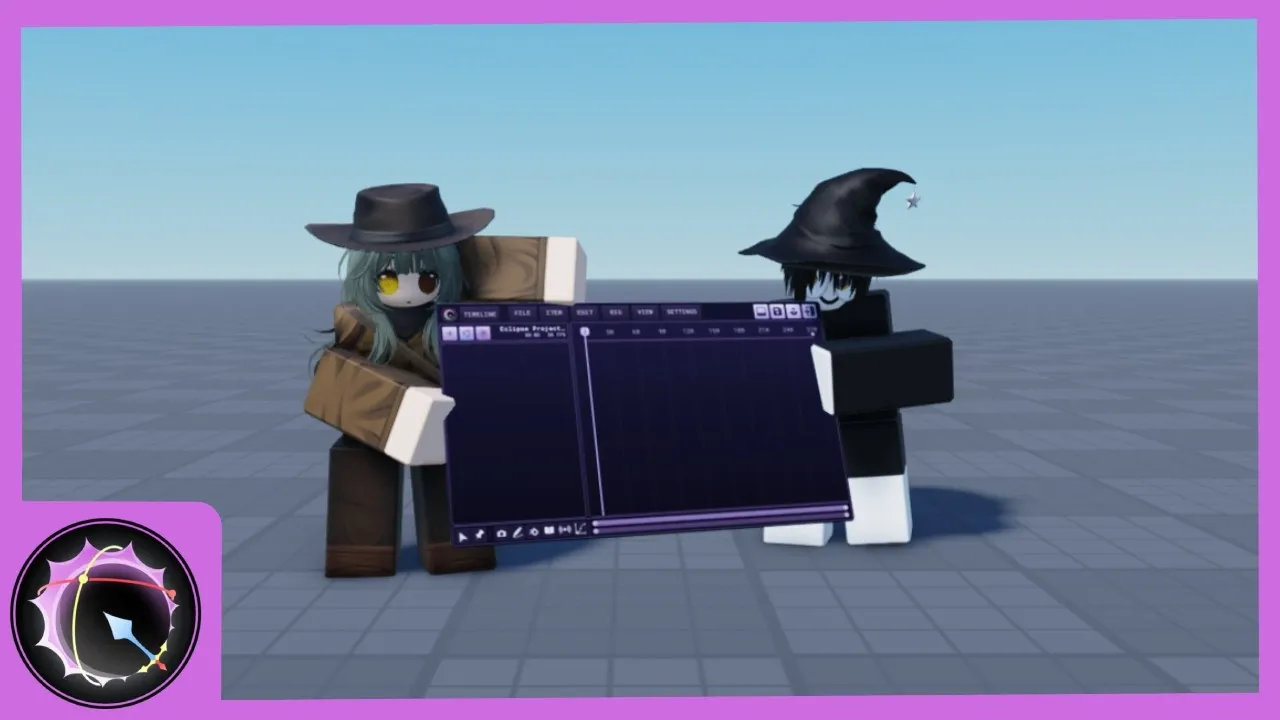
Wiki de fansEclipse Animator es el nuevo plugin de animación de Roblox Studio inspirado en Blender y Moon Animator — cinemática inversa, desvinculación de jerarquías, edición en vivo y soporte de cualquier tipo de animación de Roblox, lanzado como la alternativa gratuita insignia a Moon Animator. Por una ventana limitada de lanzamiento puedes reclamarlo gratis y conservarlo para siempre antes de que pase a ser de pago. Este wiki cubre toda la historia de Eclipse Animator Roblox: la ventana de reclamo gratuito, la instalación, el flujo de animación IK y cómo se compara con Moon Animator y con el editor integrado de Studio.
Novedades del plugin
Eclipse Animator Beginner Tutorial: Your First Animation
Eclipse Animator Install and Setup
Eclipse Animator Roblox Plugin: The Complete Guide
How to Get Eclipse Animator Free
Animation Types Eclipse Animator Supports
IK and Rigging in Eclipse Animator
Eclipse Animator vs Moon Animator
Eclipse Animator vs the Built-In Animation Editor
Anima en cuatro pasos
Del reclamo a la primera animación
Reclámalo gratis
Eclipse Animator Roblox se lanzó con una ventana limitada de reclamo gratuito antes de pasar a pago — la guía explica cómo el reclamo vincula el plugin a tu cuenta de forma permanente.
Instala y configura
Un clic desde el Roblox Creator Store hasta Studio — la guía de instalación cubre el proceso, la interfaz y el primer rig.
Aprende el flujo
Keyframes, la línea de tiempo y el interruptor de IK — el tutorial para principiantes recorre una primera animación completa al estilo Eclipse.
Ve más allá
Desvinculación, edición en vivo y escenas multi-rig — las páginas de características cubren lo que Eclipse Animator Roblox hace y el editor integrado no.
Lo más leído esta semana
Tendencias
Eclipse Animator Beginner Tutorial: Your First Animation
A complete first animation in the Eclipse Animator Roblox plugin — keyframes, the timeline and the IK toggle, built as a walk cycle in one sitting.
Eclipse Animator Install and Setup
From claim to first rig — installing Eclipse Animator in Roblox Studio, the interface tour, and the first-session settings worth checking.
Eclipse Animator Roblox Plugin: The Complete Guide
The complete guide to the Eclipse Animator Roblox plugin — what it is, why the launch caused a stampede, and what claiming it free really means for your account.
How to Get Eclipse Animator Free
The Eclipse Animator free-claim window explained — how claiming tied the plugin to your account permanently, and what changes now that it is paid-only.
Animation Types Eclipse Animator Supports
What the Eclipse Animator Roblox plugin can animate — rigged character animation, cutscene choreography, multi-rig scenes and the edge cases to know.
IK and Rigging in Eclipse Animator
The inverse kinematics toggle, unparenting and live editing — the rigging features that make the Eclipse Animator Roblox workflow different.
Eclipse Animator vs Moon Animator
Eclipse Animator against Moon Animator — workflow, IK, features and price compared honestly for Roblox Studio animators choosing between the two.
Eclipse Animator vs the Built-In Animation Editor
Do you even need a plugin? Eclipse Animator against Roblox Studio's built-in Animation Editor — what the free tool does, what a plugin adds, which tool for which job.
Eclipse Animator Roblox FAQ
Straight answers about the Eclipse Animator Roblox plugin — the free claim, the price, the workflow, the Moon Animator question and where the lines are.
Eclipse Animator Beginner Tutorial: Your First Animation
A complete first animation in the Eclipse Animator Roblox plugin — keyframes, the timeline and the IK toggle, built as a walk cycle in one sitting.
Eclipse Animator Install and Setup
From claim to first rig — installing Eclipse Animator in Roblox Studio, the interface tour, and the first-session settings worth checking.
Eclipse Animator Roblox Plugin: The Complete Guide
The complete guide to the Eclipse Animator Roblox plugin — what it is, why the launch caused a stampede, and what claiming it free really means for your account.
How to Get Eclipse Animator Free
The Eclipse Animator free-claim window explained — how claiming tied the plugin to your account permanently, and what changes now that it is paid-only.
Animation Types Eclipse Animator Supports
What the Eclipse Animator Roblox plugin can animate — rigged character animation, cutscene choreography, multi-rig scenes and the edge cases to know.
IK and Rigging in Eclipse Animator
The inverse kinematics toggle, unparenting and live editing — the rigging features that make the Eclipse Animator Roblox workflow different.
Eclipse Animator vs Moon Animator
Eclipse Animator against Moon Animator — workflow, IK, features and price compared honestly for Roblox Studio animators choosing between the two.
Eclipse Animator vs the Built-In Animation Editor
Do you even need a plugin? Eclipse Animator against Roblox Studio's built-in Animation Editor — what the free tool does, what a plugin adds, which tool for which job.
Eclipse Animator Roblox FAQ
Straight answers about the Eclipse Animator Roblox plugin — the free claim, the price, the workflow, the Moon Animator question and where the lines are.
¿Qué es Eclipse Animator?
Eclipse Animator es un plugin de animación de Roblox Studio lanzado en octubre de 2026, inspirado en el flujo de Blender y posicionado como la alternativa gratuita insignia a Moon Animator tras el paso de aquel a pago. Su conjunto de funciones parece una lista de deseos de la comunidad: cinemática inversa con interruptor, desvinculación de jerarquías para rigs complejos, edición en vivo mientras la línea de tiempo reproduce, y soporte de cualquier tipo de animación de Roblox.
El lanzamiento fue noticia en la comunidad dev de Roblox por su modelo de precio: gratis para reclamar durante una ventana limitada — unos tres días — tras la cual el plugin pasa a ser solo de pago. Las copias reclamadas quedan vinculadas a tu cuenta permanentemente, lo que convirtió la semana de lanzamiento en una estampida. Este wiki documenta el plugin Eclipse Animator Roblox desde el lanzamiento — la mecánica del reclamo, el flujo de trabajo, las comparaciones.
Explorar todas las guíasTipo
Plugin de Studio
Inspirado en
Blender
Estrella
Interruptor IK
Edición
En vivo
Precio de lanz.
Reclamo gratis
Estado
Pago tras ventana
Todo sobre el plugin, mapeado
Guías, características, comparativas y respuestas — el kit completo.
Guía del plugin Eclipse Animator Roblox
La orientación completa.
Cómo conseguirlo gratis
La ventana de reclamo, explicada.
Instalación y configuración
Del reclamo al primer rig.
La instalación desde Creator Store en un clic
El tour de la interfaz — dónde está todo
Cargar tu primer rig correctamente
Ajustes de primera sesión que valen la pena
Tutorial para principiantes
Tu primera animación.
Ciclo de marchaUna primera animación completa — keyframes, línea de tiempo e IK en una sesiónIK y rigging
La función estrella.
Tipos de animación
Qué puede animar.
Animación de personajes riggeados, soporte total
Cualquier tipo de animación Roblox vía plugin
Flujos de cinemática y multi-rig
Los casos límite a conocer
vs Moon Animator
El debate, resuelto.
vs editor integrado
¿Necesitas siquiera un plugin?
Preguntas frecuentes
Respuestas rápidas a las preguntas más comunes sobre el plugin Eclipse Animator Roblox.
La ventana de reclamo es el momento.
La mecánica del reclamo, la instalación, el flujo IK y las comparativas — todo sobre el plugin Eclipse Animator Roblox, desde el día de lanzamiento.