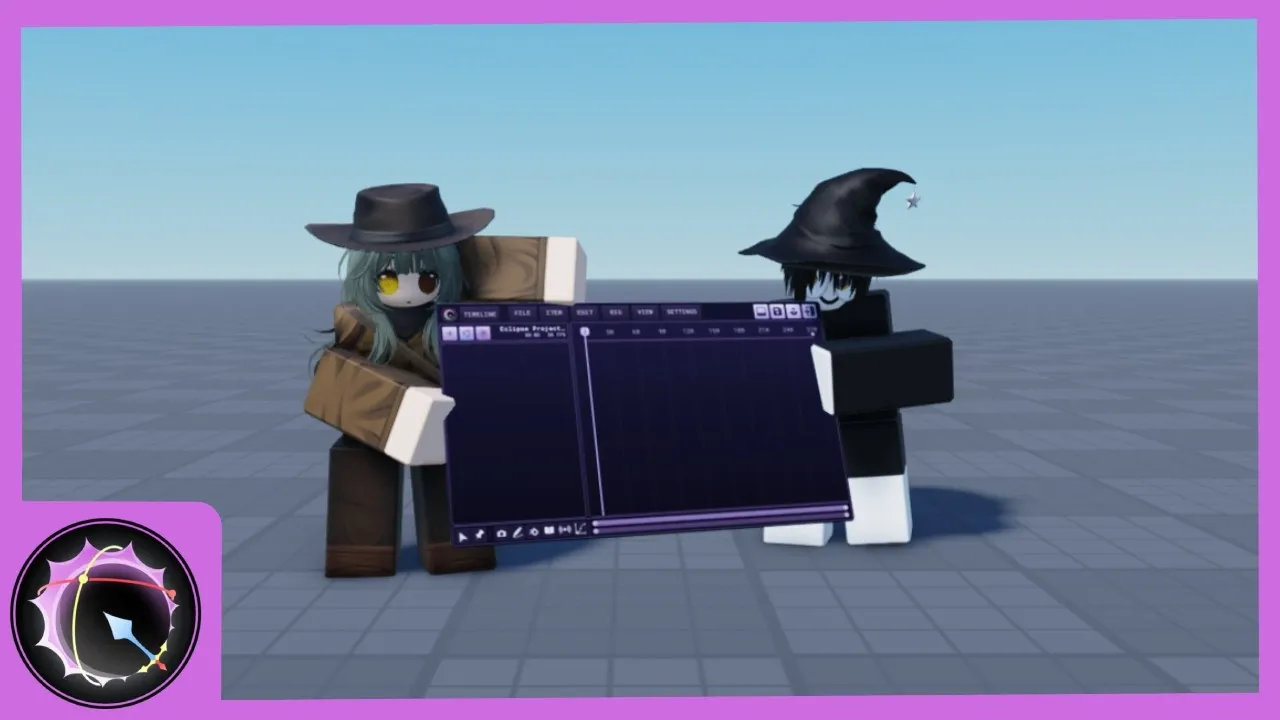
Eclipse Animator Roblox
Fan-Made WikiEclipse Animator is the new Roblox Studio animation plugin inspired by Blender and Moon Animator — inverse kinematics, unparenting, live editing and support for any Roblox animation type, launched as a flagship free alternative to Moon Animator. For a limited launch window you can claim it free and keep it forever before it becomes paid-only. This wiki covers the whole Eclipse Animator Roblox story: the free-claim window, the install and setup, the IK animation workflow, and how it stacks against Moon Animator and Studio's built-in editor.
Fresh From the Plugin
Eclipse Animator Beginner Tutorial: Your First Animation
Eclipse Animator Install and Setup
Eclipse Animator Roblox Plugin: The Complete Guide
How to Get Eclipse Animator Free
Animation Types Eclipse Animator Supports
IK and Rigging in Eclipse Animator
Eclipse Animator vs Moon Animator
Eclipse Animator vs the Built-In Animation Editor
Animate In Four Steps
From Claim to First Animation
Claim It Free
Eclipse Animator Roblox launched with a limited free-claim window before going paid-only — the claim guide explains how claiming ties the plugin to your account permanently.
Install and Setup
One click from the Roblox Creator Store into Studio — the setup guide covers the install, the interface and the first rig.
Learn the Workflow
Keyframes, the timeline and the IK toggle — the beginner tutorial walks a complete first animation the Eclipse way.
Go Beyond Basics
Unparenting, live editing and multi-rig scenes — the features pages cover what Eclipse Animator Roblox does that the built-in editor doesn't.
Most-Read This Week
Trending Now
Eclipse Animator Beginner Tutorial: Your First Animation
A complete first animation in the Eclipse Animator Roblox plugin — keyframes, the timeline and the IK toggle, built as a walk cycle in one sitting.
Eclipse Animator Install and Setup
From claim to first rig — installing Eclipse Animator in Roblox Studio, the interface tour, and the first-session settings worth checking.
Eclipse Animator Roblox Plugin: The Complete Guide
The complete guide to the Eclipse Animator Roblox plugin — what it is, why the launch caused a stampede, and what claiming it free really means for your account.
How to Get Eclipse Animator Free
The Eclipse Animator free-claim window explained — how claiming tied the plugin to your account permanently, and what changes now that it is paid-only.
Animation Types Eclipse Animator Supports
What the Eclipse Animator Roblox plugin can animate — rigged character animation, cutscene choreography, multi-rig scenes and the edge cases to know.
IK and Rigging in Eclipse Animator
The inverse kinematics toggle, unparenting and live editing — the rigging features that make the Eclipse Animator Roblox workflow different.
Eclipse Animator vs Moon Animator
Eclipse Animator against Moon Animator — workflow, IK, features and price compared honestly for Roblox Studio animators choosing between the two.
Eclipse Animator vs the Built-In Animation Editor
Do you even need a plugin? Eclipse Animator against Roblox Studio's built-in Animation Editor — what the free tool does, what a plugin adds, which tool for which job.
Eclipse Animator Roblox FAQ
Straight answers about the Eclipse Animator Roblox plugin — the free claim, the price, the workflow, the Moon Animator question and where the lines are.
Eclipse Animator Beginner Tutorial: Your First Animation
A complete first animation in the Eclipse Animator Roblox plugin — keyframes, the timeline and the IK toggle, built as a walk cycle in one sitting.
Eclipse Animator Install and Setup
From claim to first rig — installing Eclipse Animator in Roblox Studio, the interface tour, and the first-session settings worth checking.
Eclipse Animator Roblox Plugin: The Complete Guide
The complete guide to the Eclipse Animator Roblox plugin — what it is, why the launch caused a stampede, and what claiming it free really means for your account.
How to Get Eclipse Animator Free
The Eclipse Animator free-claim window explained — how claiming tied the plugin to your account permanently, and what changes now that it is paid-only.
Animation Types Eclipse Animator Supports
What the Eclipse Animator Roblox plugin can animate — rigged character animation, cutscene choreography, multi-rig scenes and the edge cases to know.
IK and Rigging in Eclipse Animator
The inverse kinematics toggle, unparenting and live editing — the rigging features that make the Eclipse Animator Roblox workflow different.
Eclipse Animator vs Moon Animator
Eclipse Animator against Moon Animator — workflow, IK, features and price compared honestly for Roblox Studio animators choosing between the two.
Eclipse Animator vs the Built-In Animation Editor
Do you even need a plugin? Eclipse Animator against Roblox Studio's built-in Animation Editor — what the free tool does, what a plugin adds, which tool for which job.
Eclipse Animator Roblox FAQ
Straight answers about the Eclipse Animator Roblox plugin — the free claim, the price, the workflow, the Moon Animator question and where the lines are.
What Is Eclipse Animator?
Eclipse Animator is a Roblox Studio animation plugin released in October 2026, inspired by Blender's animation workflow and positioned as the flagship free alternative to Moon Animator after that plugin went paid. Its feature set reads like a community wish-list: inverse kinematics with a toggle, unparenting for complex rigs, live editing while the timeline plays, and support for any Roblox animation type — capabilities that previously demanded paid tools or awkward workarounds.
The launch made headlines in the Roblox dev community for its pricing model: free to claim for a limited window — roughly three days — after which the plugin becomes paid-only. Claimed copies stay tied to your account permanently, which turned the launch week into a stampede and the question everyone asks now: did you claim it in time? This wiki documents the Eclipse Animator Roblox plugin from launch — the claim mechanics, the workflow, the comparisons — for the people claiming, the people who missed it, and the people deciding whether to buy.
Explore All GuidesType
Studio Plugin
Inspired By
Blender
Headline
IK Toggle
Editing
Live
Launch Price
Free Claim
Status
Paid After Window
Everything About the Plugin, Mapped
Guides, features, comparisons and answers — the complete toolkit.
Eclipse Animator Roblox Plugin Guide
The complete orientation.
How to Get It Free
The claim window, explained.
Install & Setup
From claim to first rig.
The Creator Store install in one click
The interface tour — where everything lives
Loading your first rig the right way
The first-session settings worth checking
Beginner Tutorial
Your first animation.
Walk CycleA complete first animation — keyframes, timeline and the IK toggle in one sittingIK & Rigging
The headline feature.
Animation Types
What it can animate.
Rigged character animation, fully supported
Any Roblox animation type via the plugin
Cutscene and multi-rig workflows
The edge cases to know about
vs Moon Animator
The argument, settled.
vs Built-In Editor
Do you even need a plugin?
Frequently Asked Questions
Quick answers to the most common questions about the Eclipse Animator Roblox plugin.
The claim window is the moment.
The claim mechanics, the install, the IK workflow and the comparisons — everything about the Eclipse Animator Roblox plugin, from launch day.